Best Low-Data Apps for Android
The replacement matrix measured today: YouTube Data saver, Spotify Low 24 kbit/s, Data Saver the switch, real plan math from the vendor, not the ghosts.
All 79 guides, newest first. Small library, tested guides: each one below earned its place.
The replacement matrix measured today: YouTube Data saver, Spotify Low 24 kbit/s, Data Saver the switch, real plan math from the vendor, not the ghosts.
Every major free tier checked at source today: Google's shared 15GB, MEGA 20GB, pCloud 10GB, TECNO's cloud offer. The free options print first.
The monitoring-versus-blocking distinction from Google's own docs: Family Link first, Qustodio for 13-plus, Bark for conversation alerts, fourth are warnings.
Which work apps connect: the task, calendar, email and file stack tested on Android, free tiers first, with caps and real prices.
Keep for capture, Obsidian for long writing, Notion for teams: note picks by use case, with sync, offline limits and Evernote's exit rows.
Nova is gone. Which lightweight launcher fits your slow phone: the power successor, the minimalist duel, the office lane, and the Tecno and Infinix rows.
Which offline Android apps genuinely work with no signal: maps, readers, music, translators and notes, plus the FM-radio truth for Tecno and Infinix.
Built-in first, then the free pick with no watermark and real internal audio. Gaming, tutorials and the honest price math for each featured pick.
Files by Google for simple phones, Solid and MiXplorer for power users, Material Files for open source, and the stock app Transsion ships.
Android's built-in Data Saver does the heavy lifting for free. Opera Mini compresses the rest, famous names stay buried, and the codes below are tuned to work anywhere.
Most battery saver apps duplicate what Android already does by itself. A small few earn a place, and the malware record says which to skip.
Sixteen app categories in one dated index: free tiers first, listings read 13 November 2026, lite lanes for tight storage, and what to skip.
No single VPN wins Android. Four desks that test VPNs pick three different winners. Here is each category's crown, the renewal ambush, and the price math.
Bitdefender is an always-on suite, Malwarebytes a scanning second opinion. What the labs recorded, what free covers, and which fits your phone.
Four years after the vault theft on record and months after a supplier breach, here is what changed, what settled and who should stay.
Searches, location, voice and your device identifiers: what Google collects on Android, the viewers that show it, and the switches that stop it.
Delete your ad ID, pause the two Google histories, sweep permissions to while-in-use, switch on the theft lock, then revoke what the loan apps took.
Android phones do get infected, mostly banking trojans and adware, mostly through sideloads and text links. The dated 2025-2026 numbers, the Play sideloading gap, and the fraud data.
What free VPNs really cost in data, speed and privacy, the two audited exceptions, and the data math on a metered mobile plan.
What a VPN does on your phone: seals the connection, borrows you an address, stops there. Tunnel, IP swap, limits, and the three Android buttons that matter.
Screen dims on its own or the slider will not budge? The free fix, in order: adaptive brightness, Extra dim, battery saver, then the light sensor.
The back button disappeared from your screen? It is usually one switch. The fault list and the fix for Pixel, Galaxy and Xiaomi.
Android 17 is the latest stable release, out since 16 June 2026, API level 37. What changed, who gets it from each maker, and how to check your version.
Your camera will not open, shows a black screen or only takes blurry photos. A switch, a permission, the cache or a full phone. Start here.
Budget decides this, not specs. The cheapest new phone against the used iPhone that still gets patches, and what the update list says before you buy.
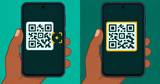
Phone won't scan a QR code? Toggle the Scan QR codes setting, test in good light, then rule out the code itself and any app holding your camera.
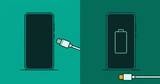
Plugged in and nothing happens? Run the free ordered test on cable, charger, socket, port, software and battery before you spend on a new charger.
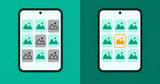
The gallery usually fixes itself on a restart. If photos still will not show, they are often hiding in the Facebook folder or the WhatsApp folder.
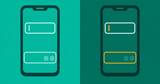
The keyboard usually is not the fault. Type in another app first. If it works there, the app you were in needs the fix.
A phone that restarts by itself usually has a reason. Check the restart schedule your phone came with, then heat, storage, apps and the battery, in that order.
A phone on the charger can still lose charge. Run the ordered test on cable, charger, socket, port and software, and know when the battery itself is worn.
An update rebooted the phone and the fingerprint stopped working. The sensor is rarely the fault: restart, re-enrol, wipe the cache, then call the service centre.
A phone that charges only at one cable angle has a fault in the cable, the charger, the socket or the port. The 60 second test finds which one.
The label says safe mode and your downloaded apps are off. Here are the exact buttons for Pixel, Samsung, TECNO and Infinix, and what the result tells you.
Find My Mobile is a switch inside Settings, not an app, and no carrier will find a lost Samsung phone for you. Set the switch on, block the SIM, tell the bank, then wipe the phone last.
You download the Samsung high contrast theme at Settings > Accessibility > Vision enhancements > High contrast theme. The row above it, Display mode, changes the whole screen at once.
Remove the Private number label from your own calls, block private callers, or learn why your phone cannot reveal a hidden number.
Mirror Android to TV with Cast, Smart View, or Miracast. Fix lag, black screen, and failed connections.
Fix Android Setup keeps stopping during setup or after reset with simple steps and safe caveats.
A white spot on your Android screen is usually pressure damage or a stuck pixel. Learn how to diagnose which one it is and the safe fixes to try.
The red dot on an app icon means unread notifications. Learn how to turn off notification dots on stock Android and Samsung, and tell them apart from privacy indicators.
AdGuard runs on-device via local VPN; Blokada splits into 5 (on-device, free, APK) and 6 (cloud, Play). YouTube in-app ads cannot be blocked reliably. Install paths and honest verdict inside.
Privacy vs ease on Android. Labs split on speed by metric. Proton has a free tier and Swiss roots. ExpressVPN is simple with wide coverage. Renewals decide the bill.
Same owner since 2022, different bets: NordVPN for speed and audits, Surfshark for price and devices. Renewals, not intros, decide value. the renewal prices inside.
A screenshot splits horizontal lines on a phone screen into software and hardware in ten seconds. Nine free tests, the panel, connector and battery verdicts, and what a repair costs.
Bitwarden is the free pick and 1Password is the paid one. Its $2.99 a month is a first-year rate for new customers on 1password.com with annual billing, so a Play app subscriber pays the list rate. A vault does not stop a SIM swap.
Two free VPNs earn the install: Proton unlimited and Windscribe with 10GB. Three more come with caveats. The data-cap math in megabytes and dollars, and the app family a 2025 paper warns about.
The familiar answer is one app, but Android splits ad blocking into three scopes. The six steps run from a free Settings field to the sideload decision, with the YouTube limit quoted from AdGuard's own article.