 By
The short version
- What you do: Web & App Activity; view in My Activity.
- Where you go: Timeline, on your device, off until you opt in.
- What you say: audio off unless you turn it on.
- Which device: Android ID and ad ID behave differently.
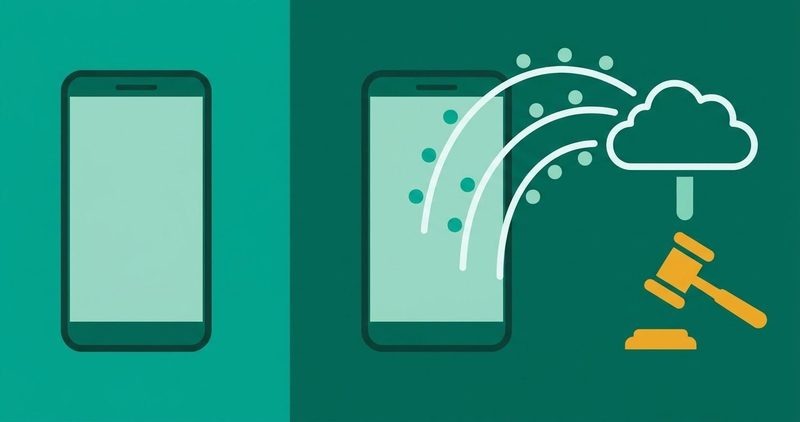
- Selling: never sold outright; slices share in ad auctions.
- The switches: Activity controls, Timeline, My Ad Center, Takeout.
It is 9 a.m. on Sunday. You open the gym app before the house wakes, and it already knows your routine. Google knows everyone. Today you decide to ask what Google knows about you. I test on my phone, on a plan that costs real money.
What you do: searches, apps, purchases
Searches, Maps routes, videos, purchases, ad clicks and installed apps land in Web & App Activity. Google's help page lists searches, ad clicks and purchases on advertisers' sites.
It adds Assistant activations, Android usage like battery level and system errors, and offline activity. Each entry can carry your general area and IP address.
| Stream | Catches | Seen in | Switch |
|---|---|---|---|
| do | searches, videos, purchases, ad clicks, apps | My Activity | Activity controls: off / auto-delete |
| go | Timeline visits and routes; location tags | Maps, Your Timeline | Maps: pause or delete; off by default |
| say | audio from Search, Assistant, Maps | Web & App Activity | Voice and audio: off unless you opt in |
| device | Android ID, ad ID, IMEI, MAC | No viewer | Delete ad ID: Settings search "advertising ID" |
See it in My Activity, browsed by date or topic. To stop saving, search "activity controls" in Settings.
Off stops saving. Delete wipes what is stored. Auto-delete handles the rest.
Techloy's September 2025 guide is honest about the boundary, read on 30 September 2026: off will not stop all collection.
Switches, menu by menu, live in our privacy settings guide.
Where you go: location in three layers
Layer one is the phone itself: GPS and sensors. Open Settings and search "location" to flip them.
Layer two is Timeline: your visits and routes, per signed-in device. Timeline left the cloud in December 2024. The Verge and The Hacker News reported the move. Google's Timeline help page, read on 13 November 2026, says Timeline is off by default and lives on-device. An optional encrypted backup sits on Google's servers if you turn backup on.
Layer three is the location tag inside Web & App Activity: your general area and IP address.
Turn Timeline off, wipe it, or both, from Maps: profile picture, Your Timeline. Device data and activity delete on different screens.
What you say: voice and audio
Audio is off unless you turn it on. Google's audio help page says the setting is off unless you choose to turn it on.
Leave it off and your voice is not saved to your account. Turn it on and recordings can be saved. Reviewers may listen to samples, disconnected from your account, the same page explains.
Turning it off does not delete old audio. Delete it in Manage activity, filtered for audio. Even "Hey Google" false activations can be saved.
The 2019 CNBC procedure is dead. Android is migrating Assistant to Gemini, and the audio switch still governs saves.
Which device: identifiers that split
Two identifiers matter here, and they behave differently.
The ad ID is resettable. Since late 2021, apps receive a string of zeros once you delete it. Google's developer guidance documents the change.
Android ID is set per device and persists until a factory reset. MAC addresses also survive factory resets. Since Android 6, third-party apps cannot read them. Android 10 restricts IMEI and serial numbers to device or profile owners with privileged permissions.
Leith's 2026 ScienceDirect study reports what Google Play services store on handsets. His 2021 Pixel study saw about 1MB at startup against about 42KB on an iPhone. Roughly twenty times more. Pixel-scoped and five years old; Transsion builds differ.
A factory reset does three things. The ad ID zeros out. The Android ID is wiped and reassigned. The IMEI and MAC stay. No traffic was intercepted on the house phone.
Telemetry is not malware. The distinction is the numbers on Android malware.
The honest middle: selling, sharing, ads
Does the company sell your data? Its page on ads and data, read on 13 November 2026, prints its answer verbatim: We never sell your personal information to anyone.
Real-time bidding broadcasts your IP address, device type, estimated location and interests to hundreds of companies on every page load. They bid in milliseconds. Clicky's July 2026 explainer calls sharing, not selling, the operative legal category for cross-context behavioral ads.
Google's February 2023 ad Q&A remains the clearest denial plus mechanism. Both halves hold: no outright sale, continuous sharing into ad auctions. Read it beside the share half, not instead of it.
Google never tailors ads on health, race, religion or sexual orientation, the same page says. Drive, Gmail and Photos content stays out of ads unless you opt in. Core activity settings auto-delete after 18 months.
My Ad Center shows the information used for your ads. Switch personalization off there, or delete the activity data, the same page explains.
Signed out, collection continues with identifiers tied to your browser or device. Retention differs, the privacy policy says.
Where to see it all: the four viewers
My Activity holds the record. Timeline holds the places. The Dashboard shows per-product storage. My Ad Center holds the ad profile. Four viewers, one file, and you get in free.
Privacy Checkup walks the settings. The viewers show the record. The Transparency Report counts government requests, not your device data.
Menu by menu, the toggles live in our privacy settings guide.
The three defaults that changed
- Late 2021: delete the ad ID, and apps receive a string of zeros.
- 1 December 2024: Timeline moved to on-device storage.
- Current: voice and audio off unless you opt in.
Older guides still describe a cloud Timeline and 2019 audio steps. Both are outdated.
Nigeria: your NDPA rights against this map
The NDPA was signed on 12 June 2023. The NDPC issued the GAID on 20 March 2025, effective 19 September 2025, replacing the NDPR. The ICLG Nigeria 2026 chapter lists your rights, read on 13 November 2026: access, rectification, erasure, portability, restriction, objection and withdrawal of consent.
Objection to direct marketing is absolute once you raise it. Complain to the NDPC directly.
| NDPA right | The Android control | Where |
|---|---|---|
| Access | My Activity and Takeout export | myactivity.google.com |
| Erasure | Delete activity, audio included | My Activity |
| Objection to ads | My Ad Center, personalization off | myadcenter.google.com |
| Portability | Takeout, machine-readable export | takeout.google.com |
| Complaint | NDPC complaint channels | NDPC |
The loan-app connection is the same map. Lenders answer to the NDPA too. The antivirus post names the personas: do you need antivirus.
Questions readers ask
Does Google sell my data?
No outright sale, the ads-data page says. RTB shares slices of it into ad auctions on every page load, Clicky explains.
If I pause the histories, does Google stop collecting?
No. Pausing stops the written record, not collection. Reduction, not cessation, Techloy's guide says.
Are my voice recordings still saved by default?
No. The voice and audio setting is off unless you turn it on.
Is Timeline in the cloud or on my phone?
On your phone since December 2024, off by default.
What survives a factory reset?
The MAC addresses survive. The ad ID does not; apps see zeros, the developer guidance says. The Android ID is wiped and reassigned at a reset, Leith's study says.
What are my rights in Nigeria?
Access, rectification, erasure, portability, restriction, objection and withdrawal of consent. Complain to the NDPC. The GAID took effect on 19 September 2025.
What I could not verify on the house phone
I did not open a single menu on the house phone for this page, and there is no screenshot. Paths print as search strings and vendor documentation.
HiOS moves its labels between builds. Search "activity controls", "location" and "advertising ID" instead of chasing the exact path.
The retention claims come from Google's pages, not from interception. The switch states are account-side defaults. No device measurement backs them.
The bottom line
Google takes what you do, where you go, what you say and which device you use. It sells none of it outright. Every stream has a viewer and a switch.
Start with Web & App Activity. For a phone that is broken, the fixes live in our Android problems hub.
Comments
New posts held for reviewCouldn't load comments - the thread service didn't answer. Nothing is being hidden: no approved comments are saved with this page.
No approved comments yet - the first one is yours. New posts are held for review before they appear.