 By
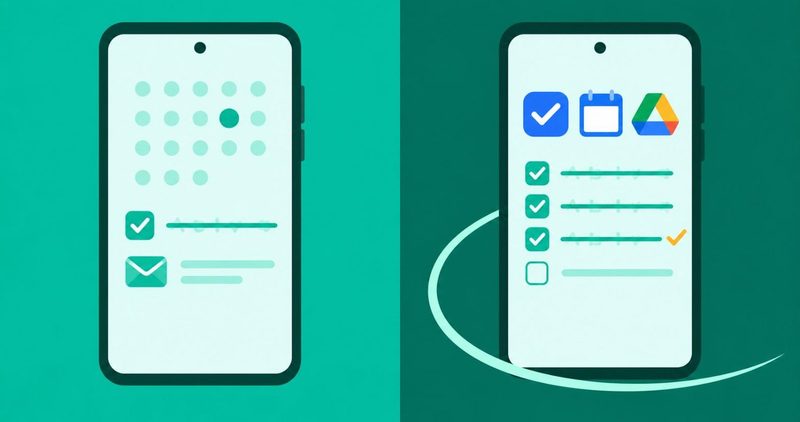
Which work apps should you install? The quick summary
- Tasks: TickTick. Free, 9 lists, 99 tasks per list.
- Calendar: Google Calendar. Free, already on your phone, syncs with Gmail.
- Email: Gmail for one Google account; Outlook if your office runs Microsoft. Both free.
- Files: Google Drive. 15 GB free with your Google account, shares by link.
- The caps decide the stack: free tiers stop at 5 projects, 9 lists, 10 boards, 2 users. The table below shows where each one breaks.
- WhatsApp is still free. The 1 October 2026 change hits the Business Platform, the API route, not your app.
- Every price here was read off the vendor page on 14 November 2026.
Six forty on the Carter Bridge and the whole bus is doing work. A girl by the window is running a rehearsal on her phone. The man behind me is answering customer messages in a group named OFFICE. Nobody has a laptop out. They have a Tecno, a bundle and a stack of apps that either carry them or get uninstalled by Friday.
I test on my phone, so every row below is written in dollars, not in theory. Two questions decide this stack: does the app still work when the network dies, and what does it cost when it does not.
The caps that decide the stack
Every pick below was graded on its free tier first, because the free cap is what decides whether the app survives a real month. Vendor pages read today, 14 November 2026.
| App | Free tier prints | What breaks first | Paid from |
|---|---|---|---|
| TickTick | 9 lists, 99 tasks per list, 1 attachment a day | List 10, or attachment-heavy days | Premium $49.99/yr |
| Todoist | 5 personal projects, 5MB uploads, 3 filters, 1 week history | Project 6 | Pro $5/mo billed yearly; $7 monthly |
| Trello | 10 collaborators per workspace, 10 boards, 10MB per file | An 11th board or an 11th teammate | Standard $5/user/mo, annual |
| Asana | 2 users, unlimited tasks and projects, 100MB per file | User 3 | Starter $10.99/user/mo, annual |
| Toggl Track | Vendor prints "limited number of users"; its FAQ prints 3; its own blog still prints 5 | Member 3 or 4; check your account screen | Starter $9/user/mo, annual |
Android Police's Akshay Bhalla moved to TickTick as his working to-do manager (October 2026), and the caps explain why. Its free tier is the roomiest of the four after you count. Todoist is the prettier planner, and it is the first to run dry at 5 personal projects and one week of history.
Trello is the board pick for a small team: ten collaborators per workspace and ten boards, free. Asana's free tier prints 2 users, which is a one-person desk with a witness, not a team.
The task row: one app, one inbox
TickTick, the task pick
Who it is for: you, if your work arrives as one long WhatsApp-shaped stream and you want it ordered before lunch.
What it does: natural-language entry, a built-in Pomodoro timer, calendar sync, habits and a widget that starts a task from the home screen. Play prints 10M+ downloads. The free tier prints 9 lists and 99 tasks per list, and the list and Kanban views are included.
What it costs: free, or Premium at US$49.99 a year, which the vendor's page prints as less than US$4.17 a month. That buys 299 lists, 999 tasks per list and unlimited calendar views.
Where it loses: one attachment per day on free, and the calendar layout sits behind Premium. If your day is receipt photos and meeting PDFs, free will nag you.
Todoist, the prettier free tier
Who it is for: you, if you like tidy layouts, natural-language due dates and a task inbox that never argues with you.
What it does: Quick Add, recurring tasks, board and list layouts on the free row, and an Editors' Choice badge on Play with 10M+ downloads. The vendor's pricing page prints email and calendar integration on the free row.
What it costs: free as Beginner. Pro is $5 per month billed yearly at $60, or $7 month to month. The old $4 and $48 rows are dead. The page today prints $60 a year or $7 monthly, nothing else.
Where it loses: the free wall is 5 personal projects and 5MB uploads. A freelancer with five clients is fine; a studio with six departments is paying by month two.
Microsoft To Do, with a warning
Who it is for: you, if your tasks must appear inside Outlook Tasks and your office lives on Exchange Online.
What it does: stores tasks on Exchange Online and shows them in Outlook automatically. Microsoft's own support page prints the field-loss list plainly: no start and end dates. Also no task status, completion percentage, multiple priority levels, work hours, colours or categories.
The warning: since about mid-August 2026, people on Microsoft's own Q&A forums report tasks vanishing while list names still load. A thread opened on 17 September 2026. One user reports a last good sync on 10 September, with the web app stuck on "We're getting your task list ready". That is user reports, not a confirmed outage. If your lists look wrong, check Outlook Tasks before you reset the app, or you may delete the only healthy copy.
What it costs: free, 10M+ downloads on Play.
Google Tasks is free and part of Google Workspace, per its Play listing. It is a grocery list that learned your job title: one person, no team in sight.
Calendar first, then the email duel
Google Calendar, the anchor
Who it is for: almost everyone reading this. It is already on your phone, free, and it syncs with Gmail and every Google account you own.
What it does: 10B+ downloads, multiple calendars in one view, sharing, reminders and cached events offline when the network drops in the rains.
Where it leaks: the heavier settings live on the web side of Google. Set them on a laptop once, then forget them.
Gmail or Outlook: the plain duel
Android Authority's Cervantes made the contrarian call in February 2025: Outlook beats Gmail as a Gmail client on Android. His Android-only rows: an All Accounts feed by default, a Mark as Read button in the notification, and a subject-line warning before send.
Gmail fights back with message scheduling, nudges for unanswered threads and Gemini writing in the compose box. The honest split is accounts. One Google account, stay in Gmail. A mixed house of work Outlook and personal Gmail, or non-working-hours silence on the work account only, open Outlook. Both are free. Both will quietly eat background data if you let them.
Fix that now: Settings, Apps, then Gmail or Outlook, then Mobile data and Wi-Fi, background data off on the metered SIM. My battery guide and my apps that save data carry the full math.
Files you can hand off
Google Drive, the hand-off
Who it is for: you, if "see attached" has ever bounced off a group chat for being too big to send.
What it does: 10B+ downloads, and 15 GB of free storage shared across Drive, Gmail and Photos, per Google's own page. Mark files offline in the morning, share by link, and send the client one clean URL instead of eleven versions of the same PDF.
Where it loses: links die when sharing flips to restricted, and 15 GB disappears fast once your phone backup joins. OneDrive prints 5 GB free with a Microsoft account, and Dropbox Basic prints 2 GB. For a 4 GB video, Drive link beats all three; for a SharePoint office, OneDrive is the door.
WeTransfer gets no row here. I could not verify its free terms this morning, so it makes no promise on this page.
WhatsApp is the office now
WhatsApp, the work chat that is free
Who it is for: the hybrid worker, the office person on the bus, the freelancer whose eighth browser tab is a client's WhatsApp.
What it is: the place where payroll approvals, delivery notes and the client who only sends voice notes live. Play prints 10B+ downloads and an Editors' Choice badge. WhatsApp's own FAQ prints it plainly: the Business app is free to download.
The date that matters. From 1 October 2026, Meta charges the WhatsApp Business Platform per message. That is the API route banks, fintechs and big desks use. Service messages, and utility messages inside the 24-hour customer window, are both billed per message. Marketing templates stay charged per message too.
| Route | What it is | Cost from 1 Oct 2026 |
|---|---|---|
| WhatsApp app | The consumer app on your phone | Free |
| WhatsApp Business app | Free-to-download small-business app | Free |
| WhatsApp Business Platform (API) | Automated, templated messaging at scale | Service and utility messages charged per message; rates match utility and authentication by market |
| Marketing templates | Business-initiated promos | About $0.062 per message |
| Utility in the service window | Order confirmations, payment alerts | About $0.0101 per message |
| Ads that click to WhatsApp | Free entry point window | Delivery not charged inside the window |
The per-message figures come from Vanguard Nigeria, 28 August 2026: utility about $0.0101, marketing about $0.062. Meta's own pricing page confirms the 1 October 2026 service-message change took effect and that service rates now equal utility and authentication rates per market. Under the change, service messages stay free up to 1,000 per number per month from 1 October 2026; pricing applies from message 1,001. Your app is not the target. If a vendor tells you WhatsApp got expensive, ask which product they mean.
Time tracking when the invoice matters
Toggl Track, the time row
Who it is for: freelancers who bill by the hour and still lose the Monday they swear they worked.
What it does: 1M+ downloads, one-tap timers, projects, clients and tags, Google and Outlook calendar sync, and reports that export to CSV and PDF. The Play listing was updated on 5 November 2026.
What it costs: free, with a number the vendor will not print cleanly. The pricing page says "limited number of users". Its FAQ prints 3; the docs print a three-member cap; its own blog still says five. Starter is $9 per user per month billed annually, or $12 monthly. Open your own account screen for your number; a blog post will not settle it for you.
Where it loses: this is a timer and a report, not your whole billing desk. Track time here, bill it elsewhere: reports export to CSV and PDF, which is what your accountant or invoicing tool wants. Invoicing and payments belong to the small-business lane, which gets its own guide.
Nigeria: the stack on a Tecno
Todoist Pro is $60 a year. TickTick Premium is $49.99 a year. Trello Standard is $5 a month, about ₦6,762. Asana Starter is $10.99, about ₦14,862. Toggl Starter is $9, about ₦12,171. A WhatsApp service message at $0.0101 is about 14 naira; a marketing one is about 84.
The silent eater on a metered SIM is background sync. Turn it off for the apps that do not need it: Settings, Apps, then Gmail or Outlook, then Mobile data and Wi-Fi, background data off. Let Wi-Fi do the heavy lifting, and let notifications matter for the two apps that interrupt you.
Offline-first is the other half of the low-signal test. Calendar shows your cached weeks without signal. TickTick queues changes and syncs when the network returns. Files marked offline in Drive open with zero bars. If the area dies at 2 pm in the rains, you are working, not waiting.
On a phone with a full phone, five work apps syncing in the background are a battery tax before they are a storage tax. Keep the stack lean. When the phone itself misbehaves, the hub of android fixes handles the phone; this page handles the workflow.
The stack, per reader
The hybrid worker: TickTick, Calendar, Gmail, Drive, WhatsApp. Zero cost.
The office person on the bus: same five, with Outlook in place of Gmail if the estate is Microsoft. To Do only with the warning above; your Outlook Tasks copy is the safer surface.
The freelancer: TickTick, Drive, Toggl, WhatsApp. A shared board for client visibility is Trello's ten free collaborators.
The fence, one line each. Notes live in my notes guide; file managers in the file manager guide.
Recording goes to the recorder guide; a lighter phone goes to the launcher guide. Small-business invoicing and AI work tools get their own guides. Nothing here sends you down a lane this site already covers.
Paid tiers earn their crown only when a cap, not a feature, blocks your real work: attachment counts, the eleventh board, user three on Asana.
Questions readers ask
Which four apps should I install?
TickTick for tasks, Google Calendar for your week, Gmail or Outlook depending on your accounts, and Google Drive for files. WhatsApp rides along free. That is the whole stack; every row above shows the why.
Is WhatsApp free for work now?
Yes. The consumer app and the Business app are both free. The per-message charges from 1 October 2026 apply to the WhatsApp Business Platform, the API route banks and fintechs use, not to you.
Todoist or TickTick: which do I pick?
TickTick if you want the roomier free tier: 9 lists and 99 tasks per list. Todoist if you love layouts and natural language and can live inside 5 projects. Pro is $5 a month billed yearly either way you slice it.
Google or Microsoft: who wins a phone-first worker?
Google. Calendar, Gmail and Drive ship on your phone free. Microsoft wins only if your office runs Exchange: Outlook's All Accounts feed and the notification Mark as Read are real Android advantages.
Is Microsoft To Do syncing again?
Not reliably, by user reports on Microsoft's own forums since about mid-August 2026. No status-page confirmation exists. Do not reset the app. Confirm your tasks appear in Outlook Tasks first.
Should I pay for anything?
Test the free rows for two weeks first. Pay only when a cap blocks you, not when a button looks shiny. The free-versus-paid rows above tell you the damage before you tap.
The short version: install the five free rows, ignore the fourteen-app roundups, and let the caps decide. WhatsApp will run the office regardless; the only question is whether your side answers on time.
Comments
New posts held for reviewCouldn't load comments - the thread service didn't answer. Nothing is being hidden: no approved comments are saved with this page.
No approved comments yet - the first one is yours. New posts are held for review before they appear.